
BRAOU Admission Status: How to Check Your Application
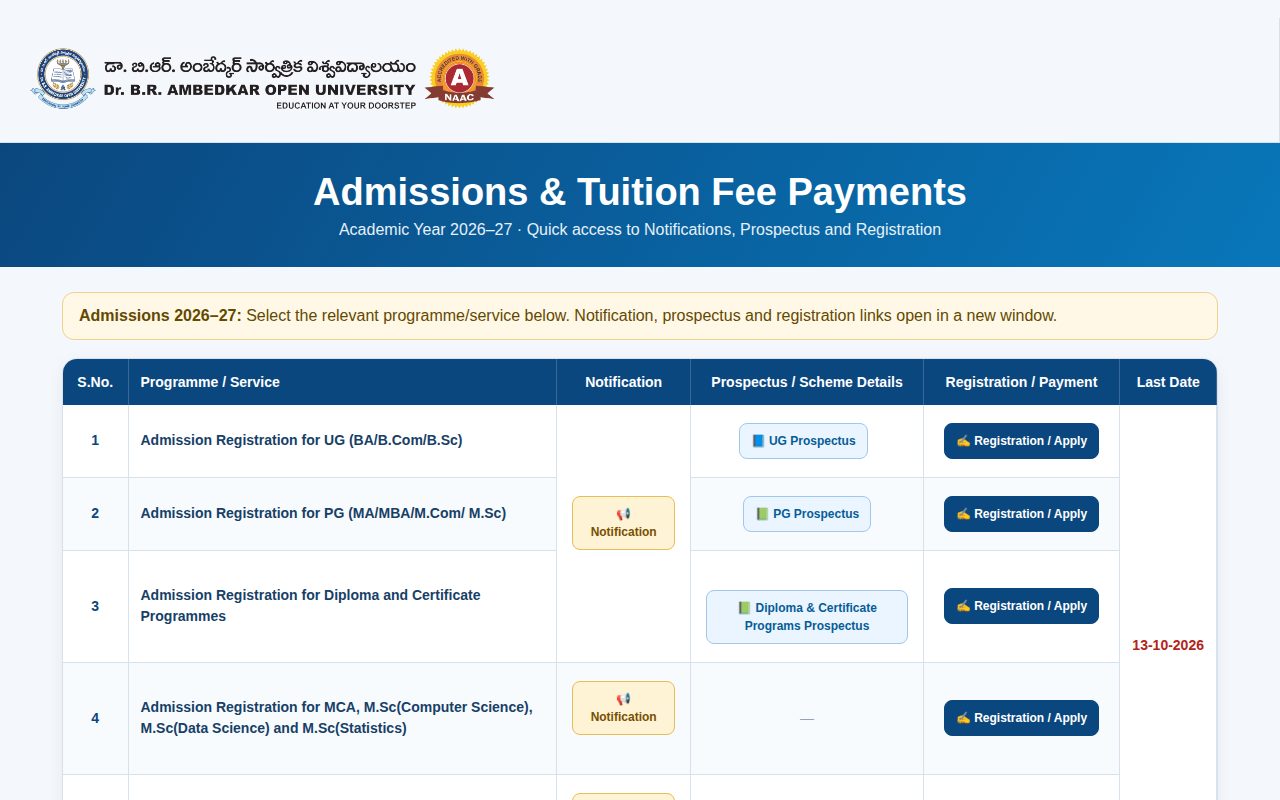
Applicants for ODL and online programmes at Dr. B.R. Ambedkar Open University (BRAOU) can check their application status online through the university portal. For ODL courses, status advances from online registration to original certificate verification at the study centre, followed by tuition fee payment and ID card download. For the 2026–27 academic year, the last date for admission registration and fee payment is 13-10-2026.
Key facts
| 2026–27 Admission Last Date | 13-10-2026 |
|---|---|
| ODL Verification Mode | Original certificate verification at Study Centre |
| ID Card Availability | Downloadable online after tuition fee payment |
| Mandatory ID Requirement | APAAR ID and DEB ID |
| Toll-Free Support Line | 18005990101 (8:00 AM to 8:00 PM) |
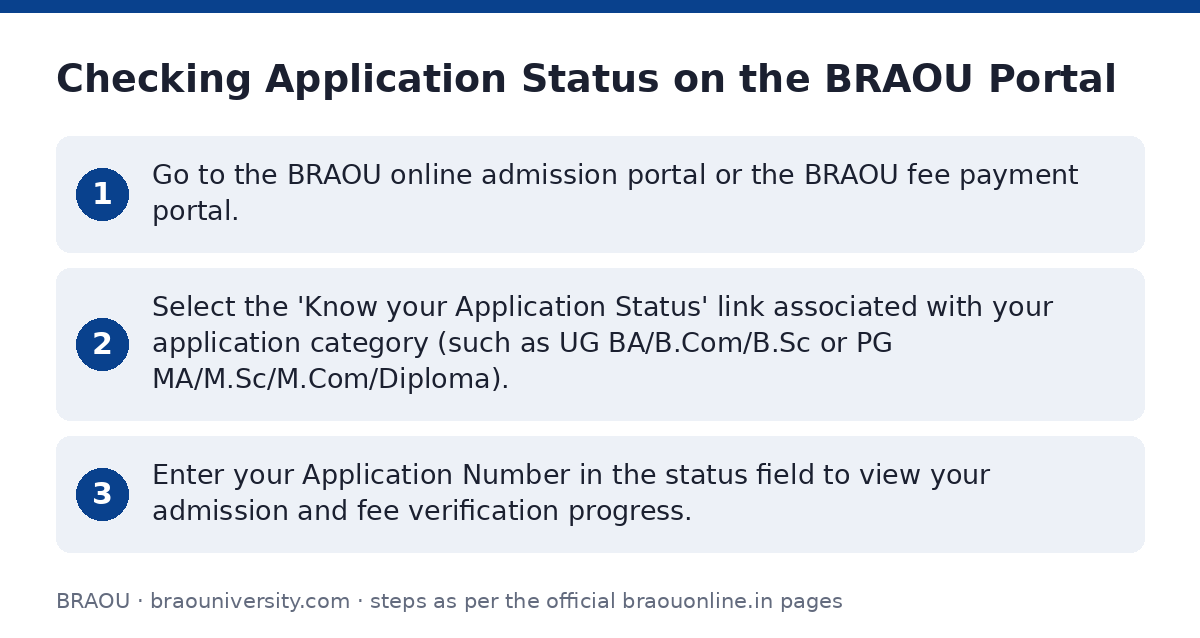
Checking Application Status on the BRAOU Portal
Applicants can track the status of their admission registration, fee payments, and degree documentation using the dedicated online status tools provided by BRAOU.
- Go to the BRAOU online admission portal or the BRAOU fee payment portal.
- Select the ‘Know your Application Status’ link associated with your application category (such as UG BA/B.Com/B.Sc or PG MA/M.Sc/M.Com/Diploma).
- Enter your Application Number in the status field to view your admission and fee verification progress.
ODL Admission Steps and Approval Workflow
For Open and Distance Learning (ODL) programmes in the 2026–27 academic year, candidates must follow a multi-step process before admission is confirmed and an ID card is generated.
- Create an APAAR ID and DEB ID as mandated by UGC guidelines.
- Complete the online application form on the BRAOU student portal and upload required certificates.
- Print the submitted application form and present it along with original certificates at your selected Study Centre for physical verification.
- After certificate verification is cleared, pay the tuition fee online using a Credit Card, Debit Card, Net Banking, or UPI.
- Download your official student ID card directly from the portal after successful fee payment.
Online Programme Admission Confirmation
For UGC-approved online programmes (M.A. Telugu, M.Com, B.Com, and MBA), status verification is handled digitally through the dedicated online portal.
- Register and create your APAAR ID and DEB ID on the BRAOU digital online portal.
- Submit your application and upload relevant documents online.
- Wait for the university to issue an official confirmation of admission.
- Upon receiving admission confirmation, complete the tuition fee payment online.
- Download your student ID card upon fee confirmation.
Retrieving a Forgot Application Number
An application number is required to log in, track admission status, print forms, or pay fees. If you have lost your application number, you can recover it online.
- Access the BRAOU admission status portal.
- Click on the ‘Forgot Application number (Admission related)’ link.
- Follow the prompt to enter your personal details and locate your application number.
Tracking Other Student Material and Certificate Services
The BRAOU portal also allows registered candidates and enrolled students to track non-admission services.
- Postal Consignment Status: Track the delivery status of printed course study materials sent to your address.
- Certificates Status: Monitor processing for CMM, Migration Certificates, Transfer Certificates (TC), and Original Degrees (OD).
- Competitive Books Status: Check dispatch status for competitive examination preparation books.
- UG Examination Registration Status: Track registration status for UG CBCS semester examinations.
Help Desk and Support Contacts
If your application status is pending or you face issues with document verification or fee payment, contact the helpline services.
BRAOU Admission Support Helplines
| Support Service | Phone Number | Operating Hours / Notes |
|---|---|---|
| General Help Desk | 040-23680333 / 040-23680555 | Standard office hours |
| Toll-Free Helpline | 18005990101 | 8:00 AM to 8:00 PM |
| Online Programmes Help Desk | +91 40 23680444 / +91 40 23680555 / +91 7382929570 | For M.A. Telugu, M.Com, B.Com, MBA online learners |
Important BRAOU links
| What you can do | Official page |
|---|---|
| Check admission status or recover application number | braouonline.in/MISC/AdmissionLinks.htm |
| Register or apply for online programmes | digital.braou.ac.in/ |
| Access ODL admissions and fee dashboard | online.braou.ac.in/login |
| Pay tuition fee or view status links | www.braouonline.in/MISC/PaymentLinks.aspx |
Official documents (PDF)
- ð¢ Notification PDF — ODL admission notification with dates, fee rules, and verification steps
- Admission Notification for Online Programmes for the Academic Year 2026-27 PDF — Online programmes admission notification with registration dates and fee tables
Frequently asked questions
What is the last date to apply for admission at Dr. B.R. Ambedkar Open University (BRAOU)?
For the 2026–27 academic year, the last date for online registration, submission of application forms, and tuition fee payment across UG, PG, diploma, and online programmes is 13-10-2026.
How do I know if my ODL admission at BRAOU is finalized?
For ODL courses, your admission is finalized after you complete online registration, present original documents for physical verification at your study centre, and pay the tuition fee online. Once payment succeeds, you can download your student ID card.
What IDs are mandatory before registering for BRAOU admissions?
As per UGC mandate, candidates seeking admission must create an APAAR ID and a DEB ID prior to submitting their online application.
Where can I recover my lost BRAOU application number?
You can retrieve a forgotten application number by visiting the status page on the BRAOU online admission portal and clicking ‘Forgot Application number (Admission related)’.
Can I track the postal delivery of my study materials online?
Yes. Learners can track their course material dispatch by visiting the online portal status page and choosing ‘Track your Postal Consigment Status of Course Material’.
What helpline can I call if my admission status is not updating?
You can contact the BRAOU help desk at 040-23680333 or 040-23680555, or call the toll-free number 18005990101 between 8:00 AM and 8:00 PM.
Sources
Written from the official BRAOU pages and documents below, as read on 2 October 2026.
- BRAOU ONLINE ADMISSION PORTAL braouonline.in/…/Knowyourstatus.aspx
- Admissions 2026â27 for ODL & Online Programs â braouonline.in/…/AdmissionLinks.htm
- ð¢ Notification braouonline.in/…/AdmissionNotification2026-Version8_30092
- Admission Notification for Online Programmes for the Academic Year 2026-27 digital.braou.ac.in/…/PrHwyz8mUgJ2tuOq_30Sep2026135427GMT_1790
- ð³ Fee Payments Admission, tuition, examination and other online fee… www.braouonline.in/…/PaymentLinks.aspx